Bulk voice campaigns
Deliver recorded announcements, reminders and campaign messages to approved contact lists.
Play a clear recorded message, measure listening, capture keypress responses and connect interested callers to a live team member.
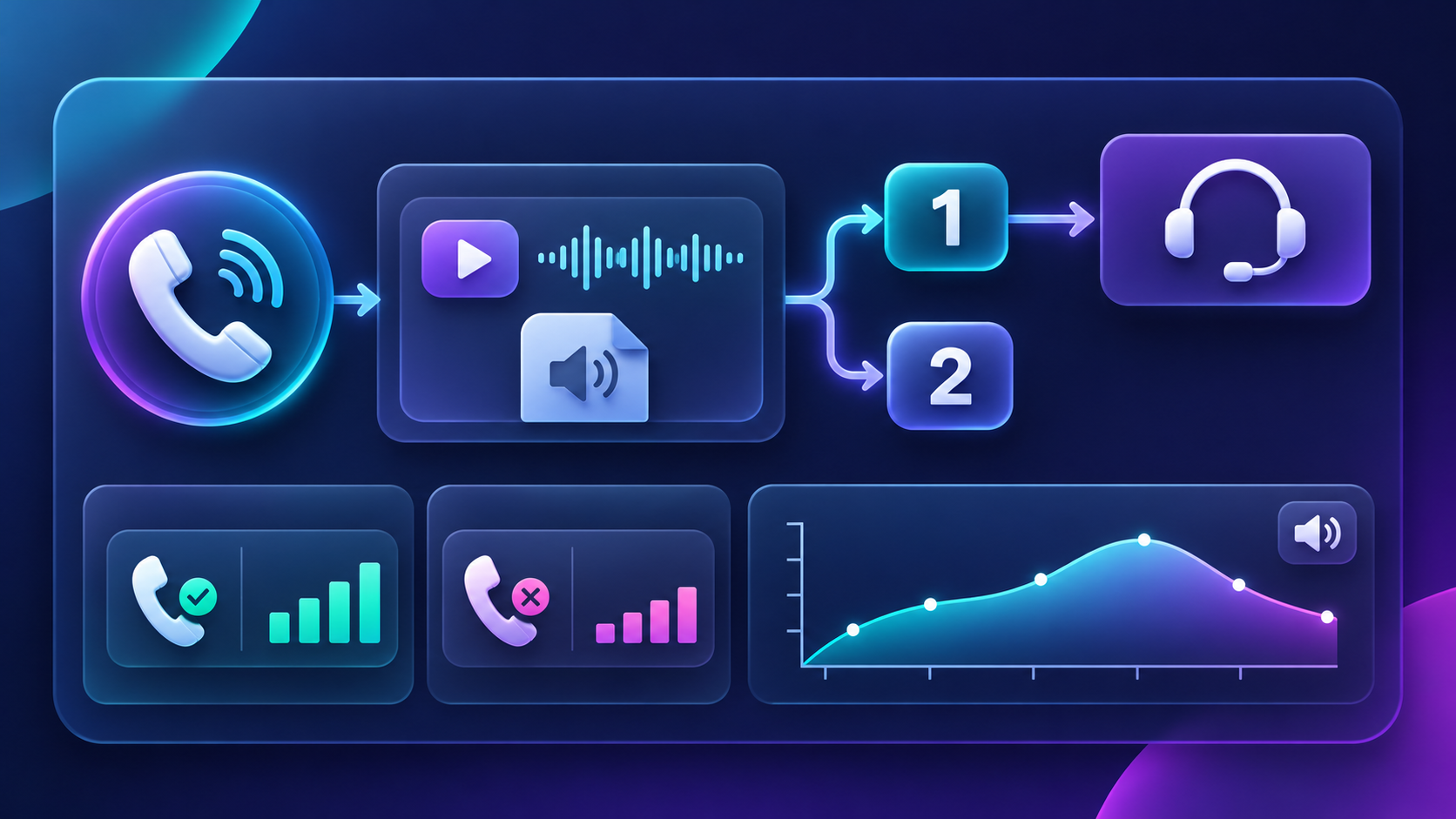
Canny IVR uses recorded prompts and keypad responses to deliver consistent calls, identify interest and move selected callers to the right next step.
Deliver recorded announcements, reminders and campaign messages to approved contact lists.
Prepare separate recordings or language options for the audiences your campaign serves.
Connect interested callers to an available counsellor, sales representative or service team.
Review how long answered calls stayed connected and identify where attention drops.
Record DTMF responses such as Press 1 for a person or Press 2 for more information.
Review attempted, answered, unanswered, failed, duration, keypress and transfer outcomes.
Choose one clear objective such as admissions enquiries, appointment reminders, payment reminders, service alerts or customer feedback.
Use a concise script, identify the business in the opening and give one primary action that is easy to understand.
Map each key to a practical outcome such as live transfer, callback request, language selection or information follow-up.
Upload the approved audience, test representative numbers and review connection, listening and response outcomes.
Send selected contacts to your team, Google Sheet, CRM or another CPaaS service through the available API or webhook workflow.
A short recording should use a clear opening, one benefit, one action and a short repeat. Compare alternative recordings using listen duration and keypress response.
IVR + SMS: send a concise callback number, confirmation or fallback message after the call.
IVR + RCS: follow a voice response with a rich card, brochure or visual product journey on supported devices.
IVR + Official WhatsApp: send an approved template to eligible contacts who asked for more information.
IVR + CRM: pass call status, listen duration, keypress and transfer outcomes through an available integration.
Announce a programme or deadline and transfer interested parents or students to a counsellor.
Share appointment or health-camp reminders with a simple confirmation or callback option.
Deliver a consistent reminder and route customers who need assistance to the appropriate team.
Promote an event and capture attendance interest through a keypress response.
Communicate operational changes, renewal dates, maintenance windows or account updates.
Collect simple keypad responses after a service, appointment or campaign interaction.
Share the use case, audience, languages, volume, recording length, keypress actions and live-transfer requirement.
Canny helps organize the script, recording, keypress flow, contact list, live-transfer rules and reporting requirements before launch.
Define the audience, purpose, language and one primary action.
Check the recording, call flow, keypress response and transfer experience.
Review listening, response and downstream conversion outcomes.